

Discovery Document Types and Pickers
The plugin's components are configured by pointing them at small JCR documents - a product, a category, or a recommendation widget - rather than by typing IDs into text fields. Every one of these documents is created and edited through an Open UI picker or wizard embedded directly in the document editor, so editors never need to know a Discovery product ID or category ID by heart.
All picker and wizard traffic goes through a CMS-side REST endpoint, not directly to the Discovery API - so Discovery credentials are never exposed to the editor's browser.
ON THIS PAGE
- Document types
- Product & category wizards - Dynamic vs. Pinned
- The product picker
- The category picker
- Live preview fields
- Adding a picker to your own document type
- Troubleshooting
Document types
| Document type | Used by | Wizard |
|---|---|---|
| Product Detail Document (brxdis:productDetailDocument) | Product Detail, Product Highlight components | 2-step product wizard |
| Category Document (brxdis:categoryDocument) | Category Grid, Category Highlight components | 2-step category wizard |
| Product Recommendation Document | Product Recommendation component | 3-step recommendation wizard |
| Category Recommendation Document | Category Recommendation component | 3-step recommendation wizard |
| Global/Personalized Recommendation Document | Global Recommendation component | 3-step recommendation wizard |
| Keyword Recommendation Document | Keyword Recommendation component | 3-step recommendation wizard |
The recommendation wizard is covered in Recommendations & Visual Search. This page covers the product and category document wizards and the underlying picker components they're built on.
Product & category wizards - Dynamic vs. Pinned
Both the product wizard and the category wizard present the same two-step flow with the same choice:
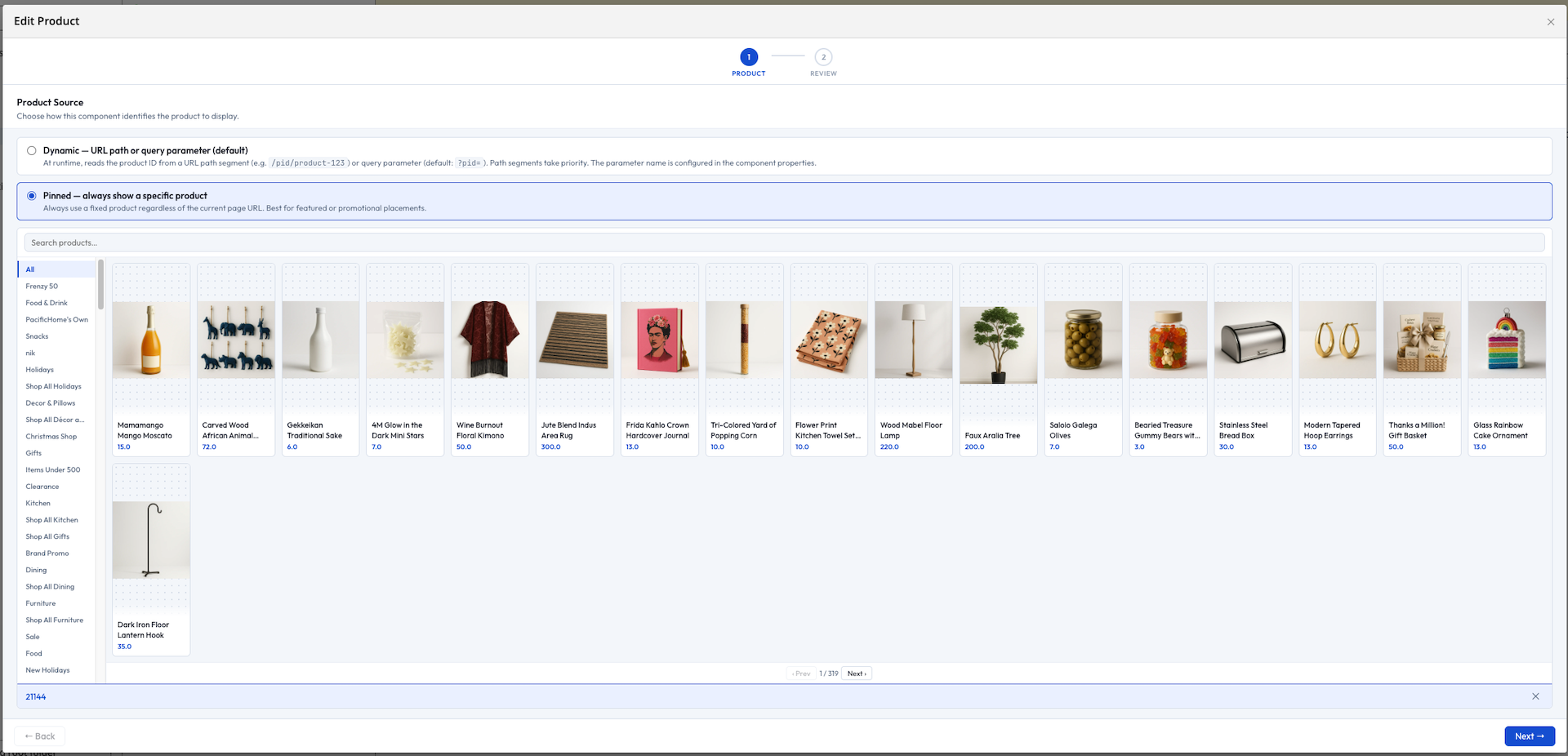
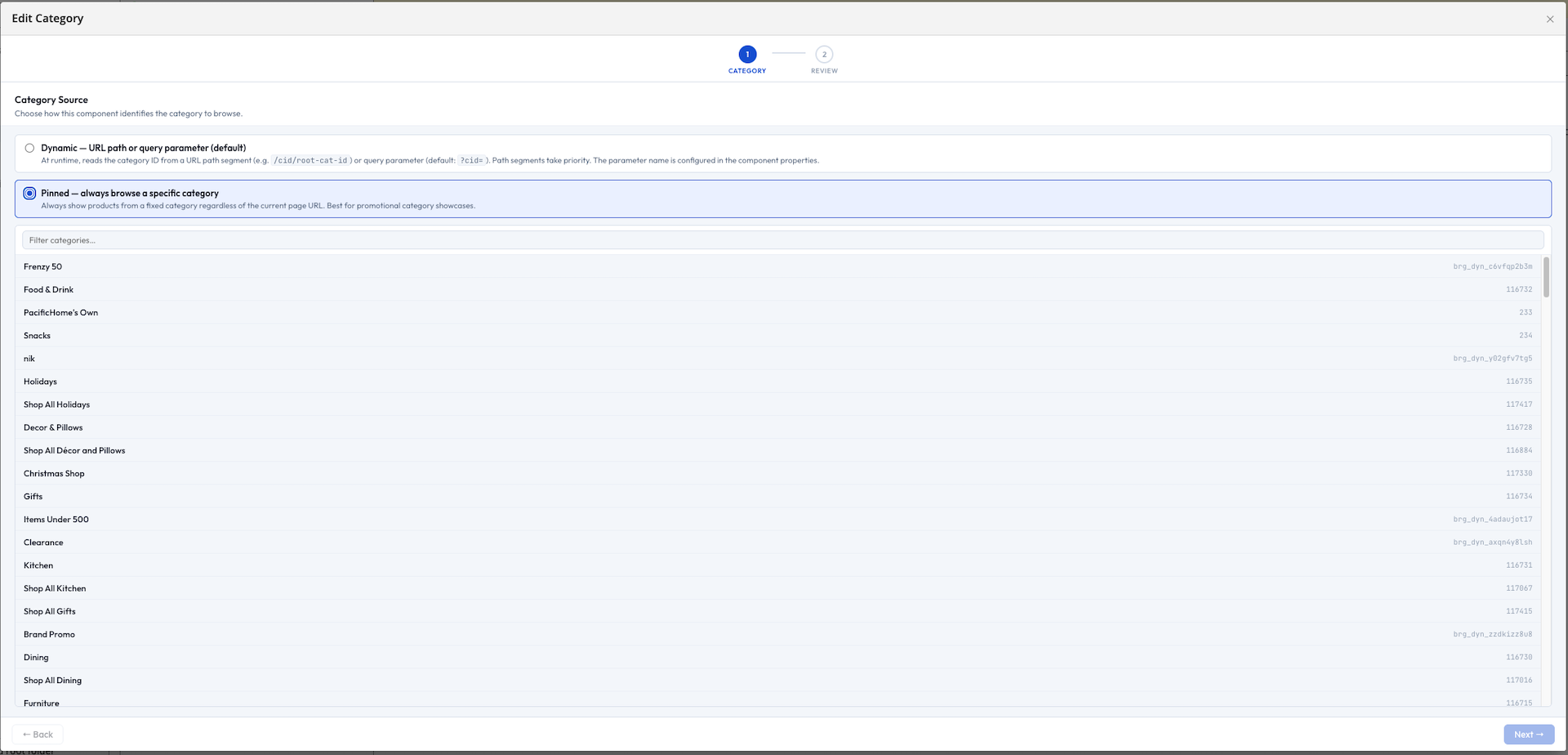
- Dynamic - the component reads the ID from the URL at render time (?pid= for products, a /category/{slug}/cid/{id} path segment or ?cid= for categories). No specific item is stored in the document. Use this for template pages that render whatever product or category the visitor is currently viewing.
- Pinned - the editor searches for and selects one specific product or category. That selection is fixed regardless of the URL. Use this for merchandising slots that should always show the same thing.
Step 2 shows a review screen: a live product/category card for Pinned selections, or a short explanation of the runtime URL behavior for Dynamic mode.
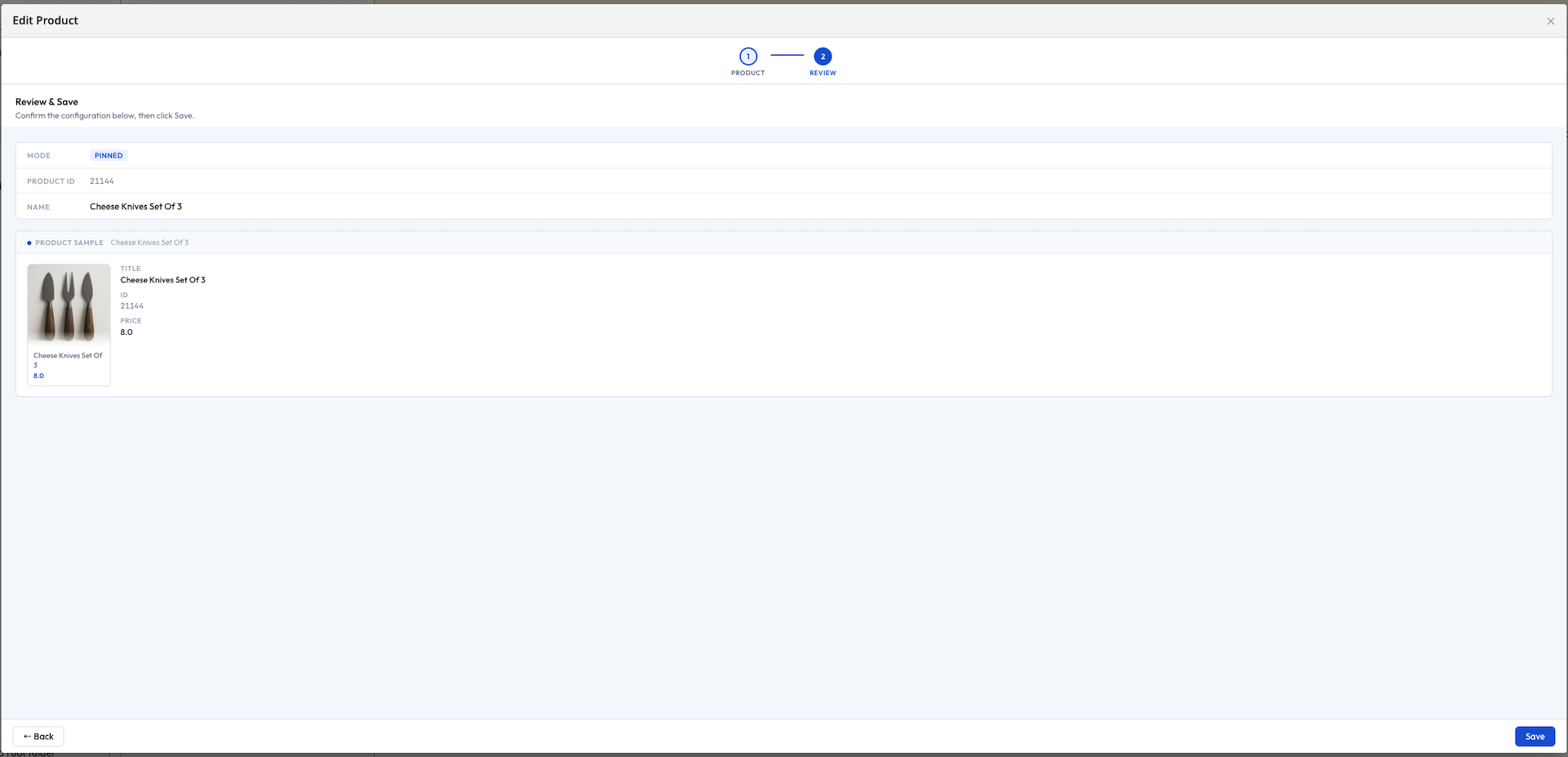
Runtime enforcement: if a component's document is left unconfigured, it renders nothing and Channel Manager preview shows a configuration prompt. If a Dynamic-mode document finds no matching URL parameter, it also renders nothing, with a preview-only warning - production visitors simply see an empty slot, never an error page.
The product picker
The product picker is the search interface used by both the product wizard and the "Pinned" product-recommendation flow.
Editors can:
- Browse by category using the sidebar, or filter the category list itself by name or ID
- Search by keyword using the top search bar
- Click a product card to highlight it (its ID and title appear in the footer)
- Confirm with Select →, or discard with Cancel
The picker only ever stores a single product ID string - never price, stock, or image data - so that information is always fetched fresh at render time rather than going stale in the CMS.
The category picker
The category picker is the equivalent search interface for categories, used by the category wizard and by "Pinned" category-recommendation widgets.
Live preview fields
Several document types include a small inline preview field alongside their wizard, so editors can see the effect of their choice without saving the document first:
| Preview field | Shown on | Shows |
|---|---|---|
| Product Detail Preview | Product Detail Document | A thumbnail of the currently selected (or Dynamic-mode) product |
| Category Product Preview | Category Document | A live thumbnail strip, driven by an adjustable "number of previews" control (0–4) |
| Recommendation Preview | Recommendation documents | A sample thumbnail strip for the configured widget |
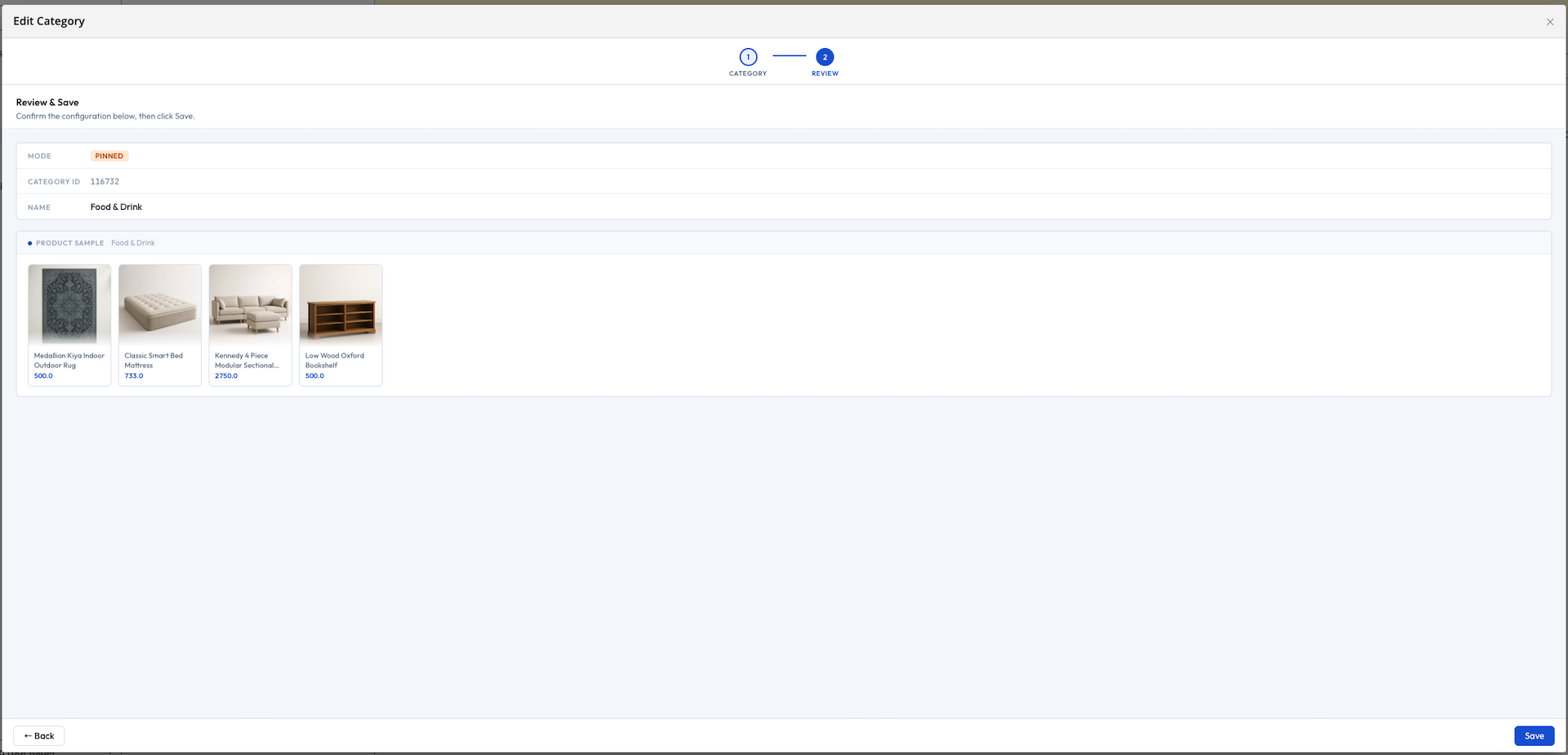
These preview fields update immediately when the picker or wizard above them changes selection - there is no need to save the document first to see the result.
Adding a picker to your own document type
If you have a custom document type that should let editors reference a Discovery product, add an Open UI string field pointing at the product picker extension:
/my-product-ref:
  jcr:primaryType: frontend:plugin
  caption: 'Featured Product'
  field: 'myns:productId'
  plugin.class: 'org.onehippo.cms7.frontend.plugin.field.OpenUiStringFieldPlugin'
  uiExtension: 'discoveryProductPicker'
  wicket.id: '${cluster.id}.field'
The field stores the plain product ID string. Read it in your own HST code and use it however your integration needs - for example, as the contextProductId on a recommendation component, or to look up full product details from your commerce system at render time.
Troubleshooting
| Symptom | Likely cause |
|---|---|
| Picker dialog shows blank or fails to load | The CMS-side plugin module isn't on the classpath, or hasn't started - see Installation |
| Picker search returns no results | Discovery credentials are missing or incorrect for this channel - see Configuration |
| A picked value disappears after reload | The property backing the field isn't declared in your document type's node type definition |
| Product preview shows the wrong category's products | The picker field and the preview field aren't in the same document - live updates only reach fields within the same open document |